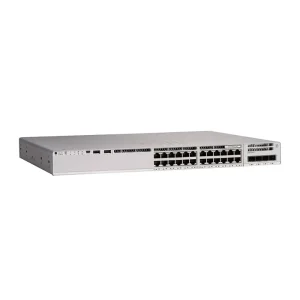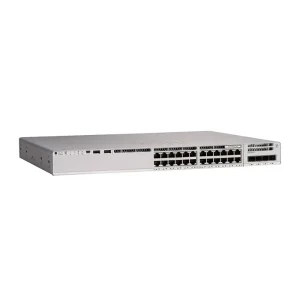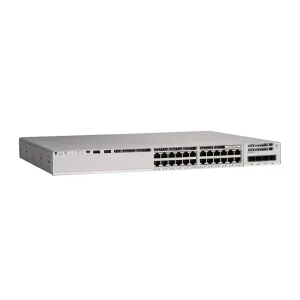
Power over Ethernet (PoE) simplifies access-layer builds by delivering data and power on the same copper run. Procurement mistakes usually come from underestimating budget, ignoring cable distance, or mixing PoE generations without a clear device map.
Start with the powered device inventory
List every access point, camera, VoIP phone, and other PD on the switch. Capture IEEE class or advertised wattage, not just “PoE capable.” A 48-port PoE switch is not automatically enough if half the ports draw high-power cameras.
| Device type | Typical draw | Planning tip |
|---|---|---|
| Wi-Fi 6 AP | 15–30W+ | Confirm PoE+ / PoE++ need |
| IP camera | 5–15W (PTZ higher) | Reserve headroom for night IR / heaters |
| VoIP phone | 5–12W | Often Class 2–3 |
Budget math before you buy
Sum worst-case simultaneous draw, then add 20–30% headroom for growth and power supply derating. Check whether the switch PoE budget is shared across all ports or limited per bank. If the datasheet lists both system budget and per-port max, both matter.
Cable plant and distance
Cat5e can work for many Class 2/3 devices; Cat6/Cat6A is safer for higher power and longer runs. Beyond ~100 m channel length, plan a midspan injector, media converter, or a closer closet — do not assume PoE will “just work” at the edge of copper limits.
Uplink and management
PoE edge switches still need clean uplinks. Prefer 10G or multi-gig uplinks when APs aggregate high wireless load. Enable LLDP/CDP power negotiation where supported, and document which ports are critical so maintenance does not accidentally disable powered devices.
Quick deployment checklist
- PD inventory with wattage / class
- Switch PoE budget vs simultaneous load
- PoE generation match (802.3af / at / bt)
- Cable category and length audit
- Uplink capacity and stacking / MLAG plan
- Spare ports and growth margin
- RFQ notes: model, quantity, PoE budget, environment
FAQ
Do I always need a full PoE++ switch?
No. Match generation to the hungriest devices. Many campus APs need PoE+; only some cameras and high-power APs need 802.3bt.
What if my power budget is short?
Split loads across two switches, use a higher-budget SKU, or move high-draw devices to a dedicated PoE midspan — then re-quote with a clear device map.
Request a Quote with your PD list and preferred brand family, or browse PoE switches and buying guides.